Edit your Dayforce profile #
- Sign in to Dayforce with your Company ID (Raise), your username (email address) and password.
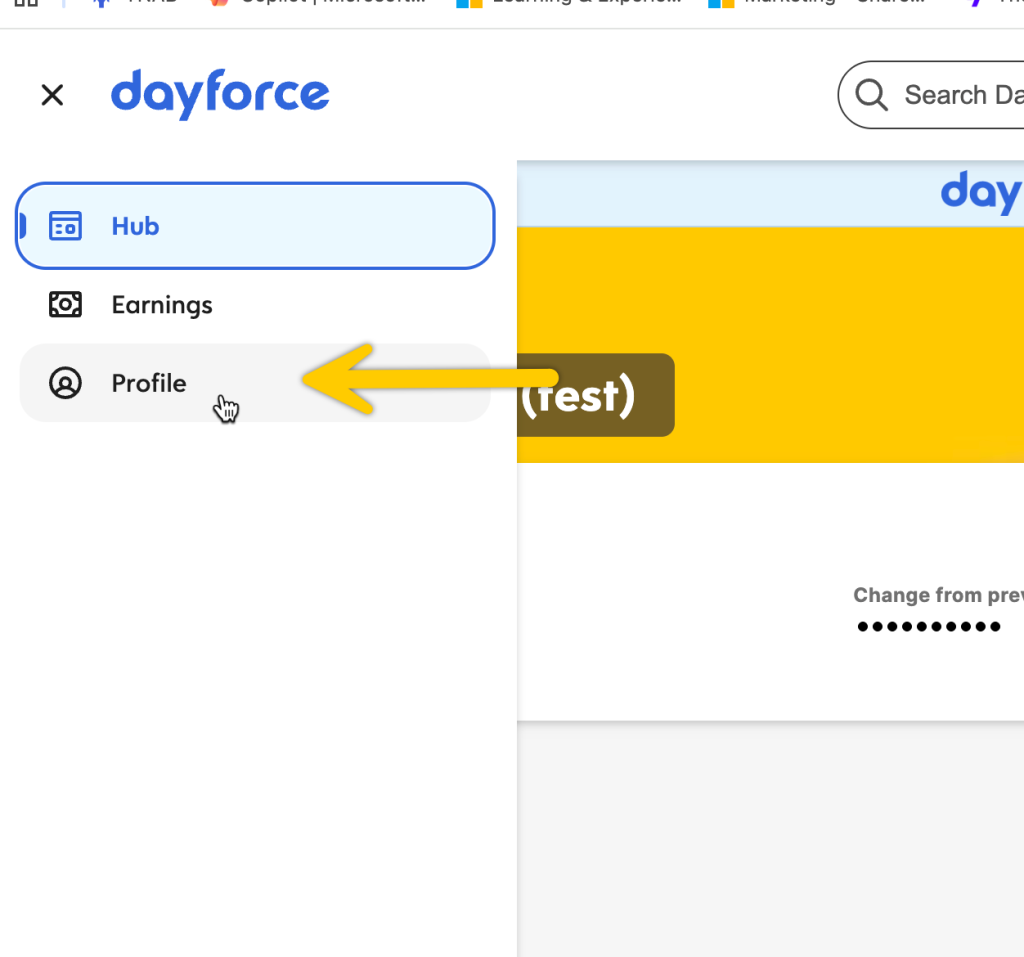
- Select for the Navigation menu (“hamburger icon”) in the top left-hand corner.

- Select Profile.
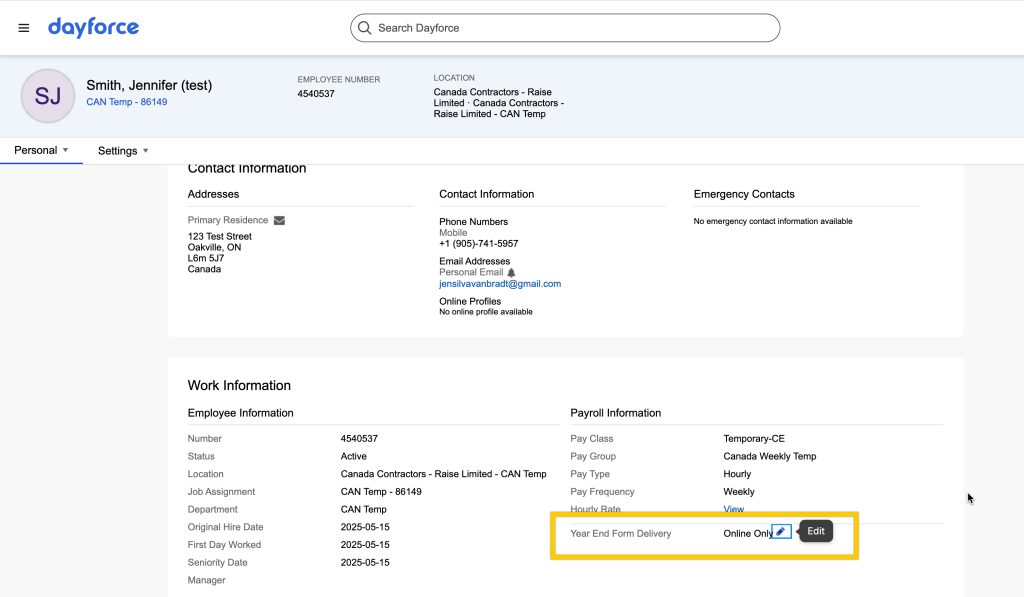
- On your Profile page, select Year-End Form Delivery in the bottom right of the screen.
- Click the Pencil icon to edit your choices.
Consent to electronic delivery #
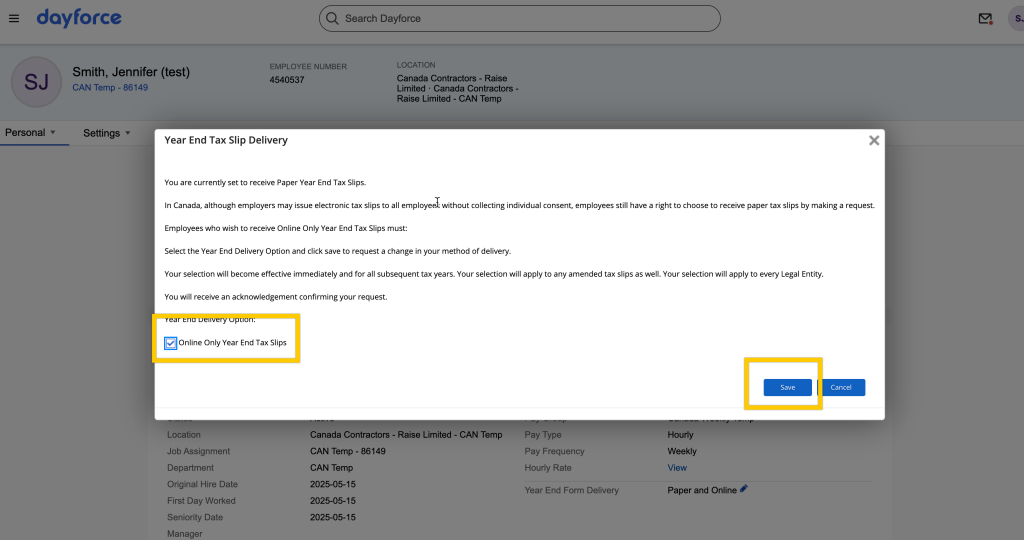
- A window will pop up asking for your consent to send your forms electronically.
- To receive your tax forms electronically as soon as they’re available instead of waiting for them to be sent by letter mail, click the checkbox next to Online Only Year End Tax Slips.
- If your preferred choice is already selected, you don’t need to update anything.
- Click Save.
- You’ll see a green success message at the bottom of the screen indicating that your choices have been saved.